
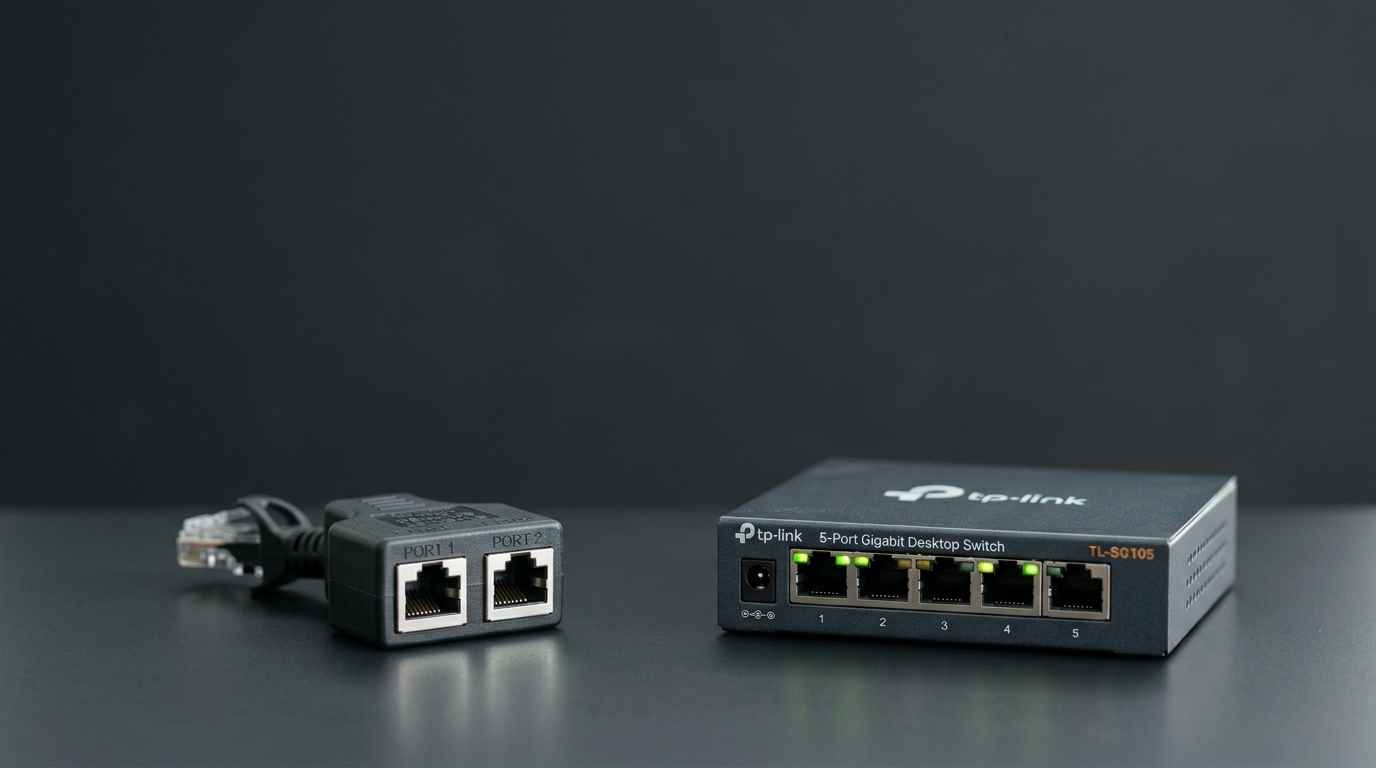
If you have ever looked behind your desk or entertainment center only to realize you have several devices and only one Ethernet port in the wall, you have faced a common networking problem. This situation leads people to search for a way to expand their connection, where they encounter two options that look remarkably similar. These two devices are the network splitter and the network switch, yet despite their visual similarities, they function in completely different ways. Choosing the wrong one can result in a significant loss of the internet speed that you pay for every month.
A network splitter is considered a passive or dumb device because it has no internal processor and does not require a power outlet. Inside a standard Ethernet cable, there are actually eight tiny copper wires. For modern high speed internet to work at full capacity, your computer needs to use all eight of those wires simultaneously. A splitter works by physically pulling those eight wires apart into two groups of four wires each. This physical division means your speed is instantly hard capped at 100 megabits per second. Users frequently ask if these devices reduce speed, and the answer is that they often halve bandwidth and frequently limit you to only one active connection at a time.

Subscribe
Enter your email below to receive updates.
In contrast, a network switch is the intelligent solution that most modern homes and offices actually require. You will notice right away that a switch comes with a power cord because it uses an internal computer processor to manage data. Instead of physically splitting the copper wires, the switch reads the data packets and directs them exactly where they need to go. This digital management allows every single device plugged into the switch to access the full bandwidth of your internet plan. While splitters can only handle two devices from one cable, switches are much more scalable and can manage anywhere from five to over fifty devices on a local area network.
Performance concerns regarding gaming and streaming are common among users looking to expand their ports. Many people worry that adding a switch will cause lag or create bottlenecks in their setup. However, a modern switch processes data in millionths of a second, meaning you will never feel a difference in your latency while gaming. Furthermore, switches allow your router to assign a unique IP address to every device individually. Splitters do not assign unique IPs and instead treat the two connections as one, which can lead to data collisions, connection drops, and general frustration.
When considering cost versus quality, switches represent a far better value for most users. Although a splitter might be slightly cheaper, a basic gigabit switch is still very affordable and offers vastly superior performance. Switches are also true plug and play devices that require no complex configuration to work. For the price of a couple of fast food meals, you get a reliable solution that preserves your full internet speed and provides the flexibility to add more devices in the future.
Subscribe
Enter your email below to receive updates.
Detailed Comparison: Network Splitter vs. Network Switch
| Feature | Network Splitter | Network Switch |
| Max Speed | 100 Mbps (Slow) | 1,000 Mbps+ (Fast) |
| Internal Logic | Passive / No processor | Active / Internal CPU |
| Power Requirement | No external power | Requires wall outlet |
| Device Limit | Exactly 2 devices | 5 to 50+ devices |
| IP Management | Shares one IP address | Unique IP per device |
| Bandwidth | Shared / Halved | Full bandwidth to each port |
| Setup Ease | Often needs a pair to work | Plug and play |
| Reliability | Prone to crashes/collisions | Highly reliable and stable |




Leave a Reply